

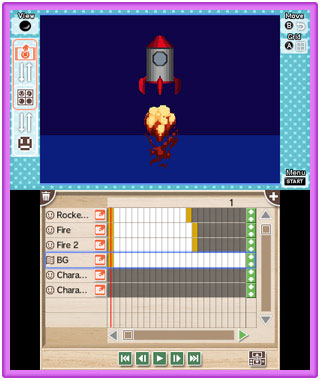
Create the animation by placing the created object on the timeline.
Let's post animation to the gallery after creating animation!-

-
Three types can be placed on the timeline: character timeline, map timeline, and folder.
You can place a character object on the character timeline. Map objects can be placed on the map timeline. Use folders to organize timelines.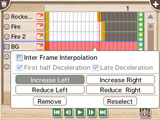 One frame of the timeline is called a frame. The playback time is set according to the object placed at the end of the timeline.
-

-
The character object can be moved, enlarged / reduced, X axis / Y axis inverted, and opacity can be changed.
Map objects can only be moved and changed opacity. When creating an animation, set inter-frame interpolation for the object you want to move in the timeline.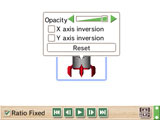 The object can be transformed after it is placed on the timeline.
When you deform an object that does not set interframe interpolation, it will not animate.
- Top Page
- Draw a Pixel Art
- Create an Object
- Create an Animation
- Post to Gallery
